In-Situ Website Translation
A popular refrain from AI-focused tech companies is that artificial intelligence will change how we live and work. For most of us, however, this sounds like more marketing speak. Recently though, I found an example that speaks to this promise—perhaps it is familiar to some of you, but it was new to me so I thought I would share it more broadly in this HowTo guide.
I often come across documents that describe how emerging technology is innovating or disrupting different parts of the world. As you can imagine, these are of great interest to me; yet many of them are in a foreign language. Fortunately, I recently learned that many popular web browsers can now provide automatic webpage translation in situ.
Safari Translation in Action
To demonstrate this, I will use the Safari browser on my Mac. I recently came across an annual review of the Chinese public's use and views on generative artificial intelligence from Tencent Research Institute. As you can see from the screenshot of the original webpage, everything is in Mandarin—a language I neither speak nor read.
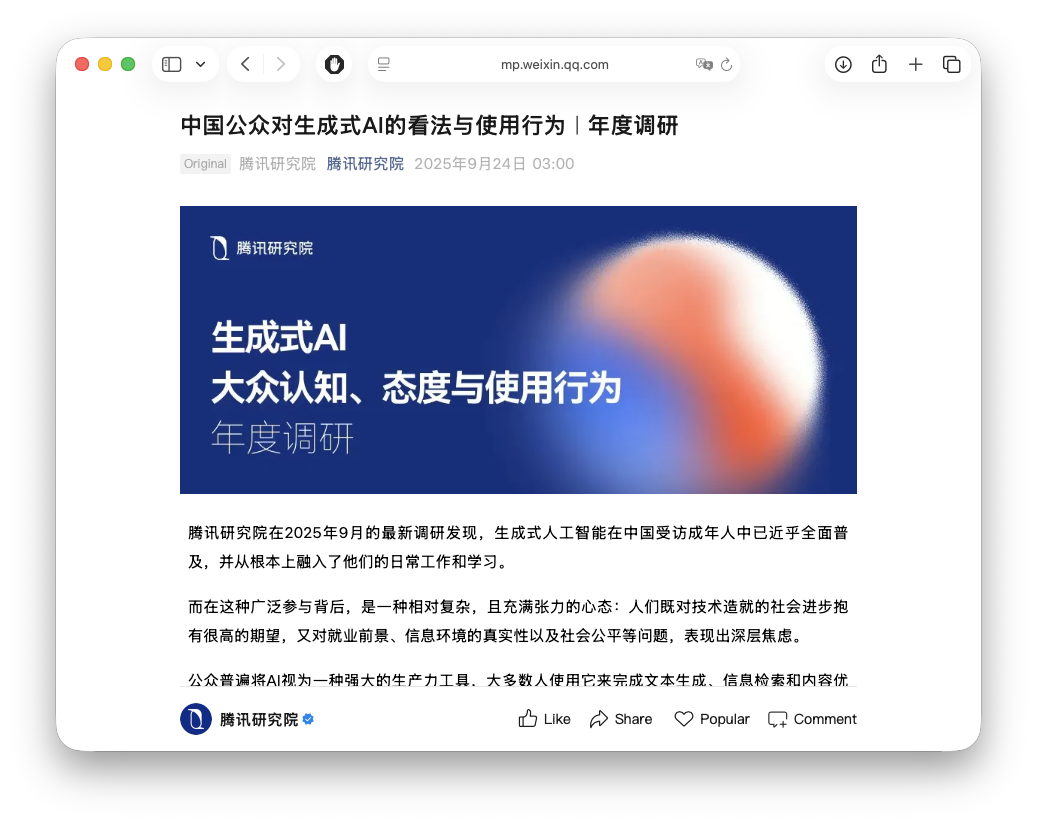
The Safari browser provides a translate button in the address
bar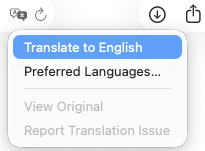 The translate button showing the option to translate the webpage into English.
when it detects a webpage in a foreign language. Simply clicking this button creates a new view of the
webpage that is translated into your preferred language. In my case, that is English.
The translate button showing the option to translate the webpage into English.
when it detects a webpage in a foreign language. Simply clicking this button creates a new view of the
webpage that is translated into your preferred language. In my case, that is English.
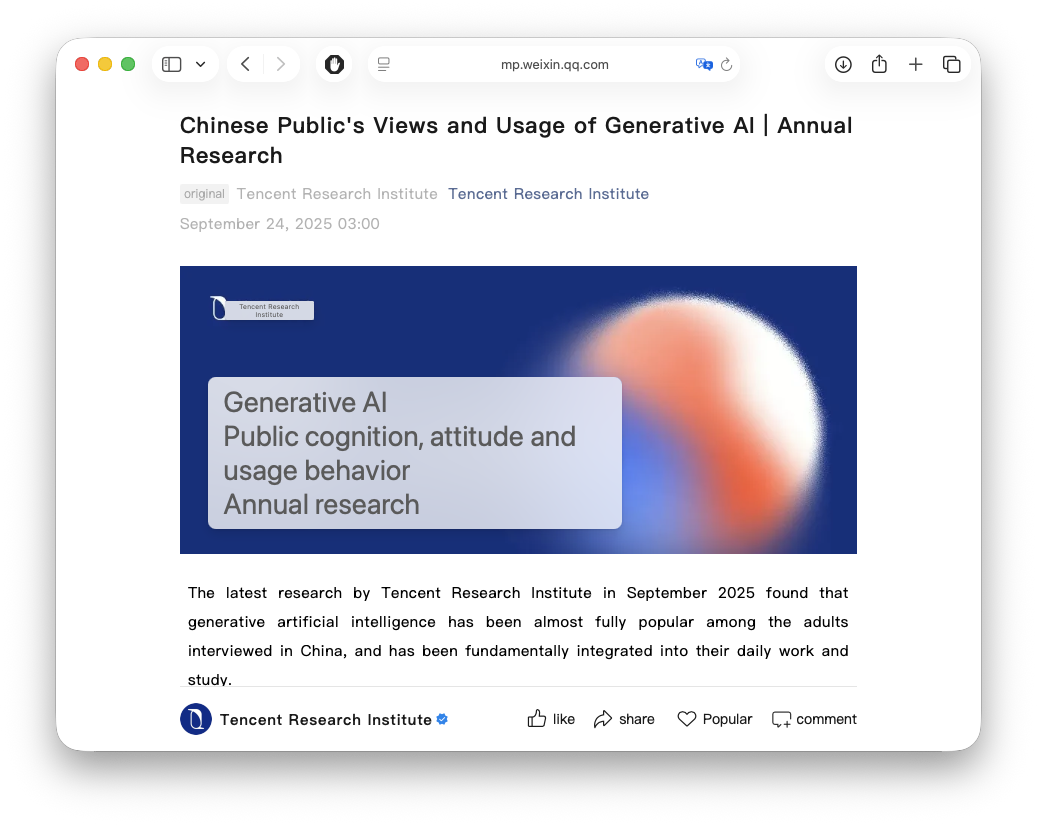
After a brief period where the translation is performed, the new view is displayed. While the translation of plain text is no longer seen as a magical feature, I was definitely impressed by the automatic translation of text in figures and infographics. As you can see in the following figure, at least for Safari, this in situ translation places boxes over the original text and then displays the translation in these boxes.
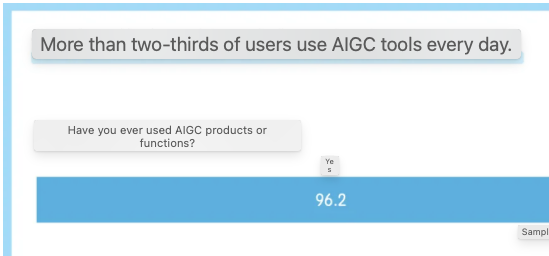
The ability to translate not just the body text but also embedded graphics demonstrates how far browser-based translation technology has advanced. This makes previously inaccessible content immediately readable and useful for research, business intelligence, or simple curiosity about global developments.
How to Enable Translation in Safari
For those who want to use this feature:
- Open Safari and navigate to a webpage in a foreign language.
- Look for the translation icon
 The translate button appears in Safari's address bar when a foreign language is detected in the address bar.
 - Click the icon and select your preferred language.
- Safari will translate the page automatically.
The translation happens locally on your device in recent versions of Safari, which means your browsing data isn't sent to external servers—a nice privacy benefit of this approach.
Other Browsers
While I've demonstrated this feature in Safari, other major browsers offer similar translation capabilities. Since I don't regularly use these browsers, I worked with Claude to research and document their translation features.
Google Chrome: Chrome offers automatic translation powered by Google Translate. When you visit a foreign language page, Chrome will prompt you to translate it. You can also right-click anywhere on a page and select "Translate to [Language]." Official Chrome Translation Documentation
Mozilla Firefox: Firefox offers translation through their "Firefox Translations" feature (formerly an add-on, now built into recent versions). Unlike cloud-based services, Firefox performs translations locally on your device for enhanced privacy. The translation models are downloaded and stored on your browser. Official Firefox Translation Documentation
Microsoft Edge: Edge includes Microsoft Translator built directly into the browser. Similar to Chrome, it automatically detects foreign language pages and offers to translate them. You can translate pages by clicking the translation icon in the address bar or through the right-click context menu. Official Edge Translation Documentation
Conclusion
Personally, user aids such as in situ website translation represent a genuinely useful application of AI and machine learning technology in our daily digital lives. Whether you're conducting international research, following global news, or simply exploring content from around the world, these built-in translation features remove language barriers with remarkable ease. The fact that modern browsers can now translate not just text but also content within images and infographics makes this technology even more impressive and practical.